A Photographers & Visitors Guide & Timeless Stories

Latest

WordPress Changes – Losing the Old Admin and Editor

The False Appearance of Success

Matt Mullenweg seems to be under the impression that the new User Interface and Editor have been a success. From his recent “State of the Word Address” ⇒.

“Matt gave some updates on Calypso’s adoption since it was released last year. He says that 68% of posts on WordPress.com are now written in Calypso. 17% of posts are written via a mobile device, and only 15% of users are using the WordPress admin. For reference, Calypso is the default method of publishing on WordPress.com now, so that includes the desktop website, desktop app, and mobile app”.

We need to tell him that it is a false impression based upon being herded into the new system by the removal of virtually all links to the old one.  A move which seems to have precipitated an increasing number of abandoned and infrequently used blogs.

We also need to list all the new UI’s and Editors shortcomings.  Including the low-speed for those who aren’t fortunate enough to have super-fast broadband and super-fast computers. 

It seems, for business reasons which include the use of Rest-API ⇐, WordPress are determined to set aside what remains of the old system.  They had better be persuaded to perfect the new one first.  That will take many voices, so please add your comment to the forum and pass the news to others and, for the present,  How to Access the Old System ⇐

The places to comment.

Where you can place a comment and, should you so wish, address a comment to Matt Mullenweg as @Matt:-

https://en.forums.wordpress.com/topic/stats-feedback?replies=52

Comments about the WP Reader:-

https://en.forums.wordpress.com/topic/reader-update/page/2?replies=15

This is my message to Matt Mullenweg on the “stats” thread of the forum:-

Message for @Matt via @supernovia

It is noticeable that there are an increasing number of blogs that are infrequently used and an increasing number being abandoned.  Pushing Reader “Recommendations” at us, without an opt-out will only annoy customers more.

The idea that the new UI is successful (according your State of the Word address) is false one, brought about by the destruction of links and making all but one point away from the old UI.  Many bloggers do not even know that it still exists.  You have been fooling yourselves.

As an aside: You would make the UI/Editor/Reader less cramped if you employed slide-away or drop-down menus.

The new UI/Editor remains deficient of original function.  There is lot of work to do before it will reach the original functional standard.  You shouldn’t need us to tell you what’s missing. That is a ludicrous failure of perception and a disrespectful misuse of our time.

Unless one has super-fast broadband and a super-fast computer, which most people do not, especially in the farther regions of the world, then the new UI/Editor/Reader is horribly slow.  Using more code to achieve less is a failure and no amount of contrived hyperbole or herding of customers can alter the reality.  And, why on Earth is the “Reader” loading Olark.

If you are using OAuth 2.0, as it seems you are, you should bear in mind what the lead project author entirely disavowed that version.

I suggest that you give the project at least a semblance of genuine improvement, then beta test it and only then launch it.  Do not destroy what works in favour of what does not.  We are paying customers (and paying for No-Ads does count). We are not here for you to experiment on.

Here ⇒  are just some of the comments that you don’t see.

Further: There has been exclusion of adverse customer comment on the WP Blog and the Forum’s “Reader” thread.  That is against WP’s apparent stance on censorship, a contravention of First Amendment Rights and fuels the argument for making WP a Regulated Public Utility under Congressional control.  Perhaps it would be a good idea to see that it doesn’t happen again.

Have a nice day.   🙂

The Queen’s House Interior at Greenwich

the-great-hall-floor-in-the-queens-house-at-greenwich

The Great Hall Floor

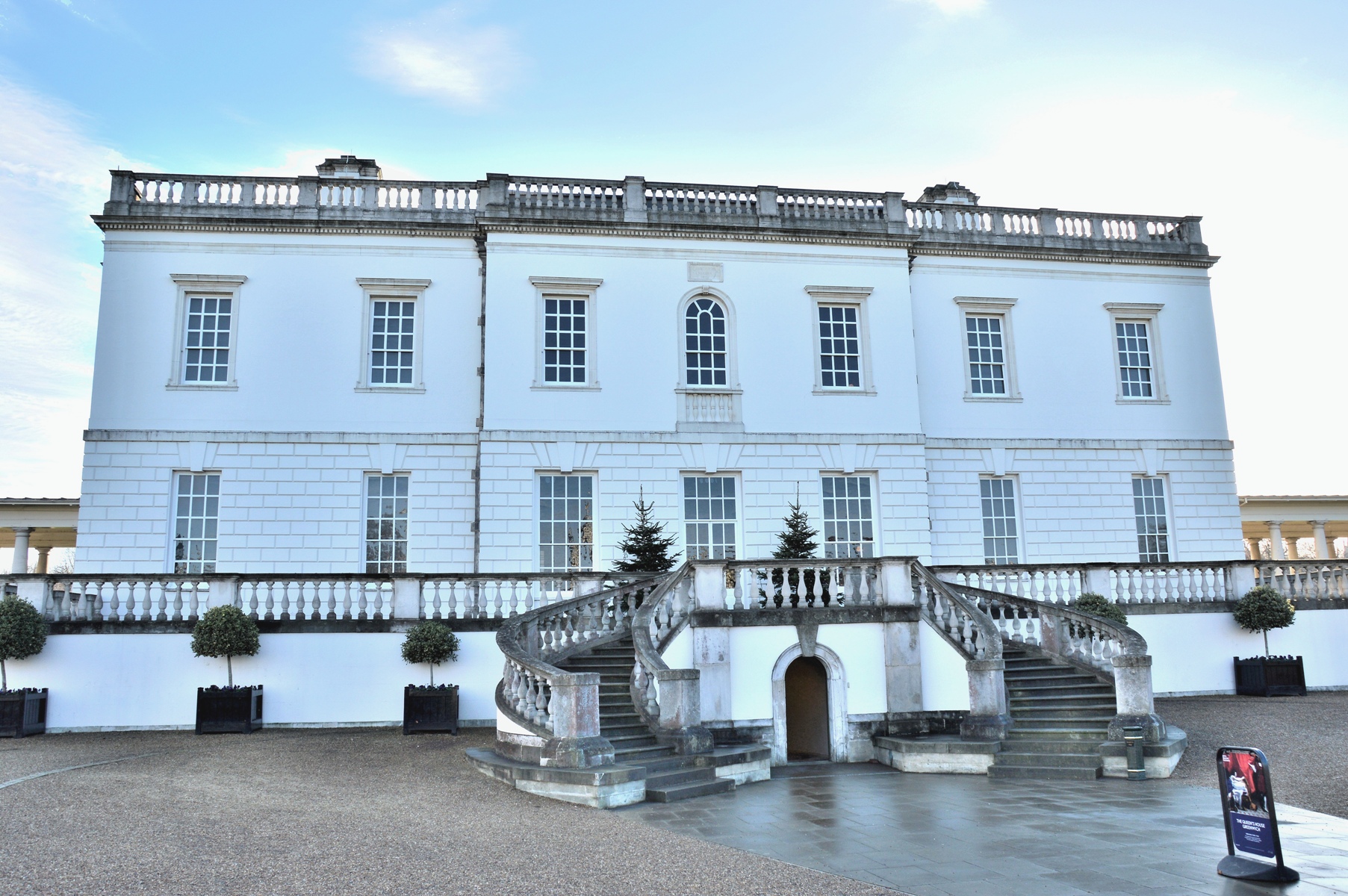
14 pictures. The house has been refurbished and is free to visit.  It can be found adjacent to the National Maritime Museum⇐ in Wonderful Greenwich ⇐.  Check the Queen’s House opening times ⇒.  Non-commercial photography is allowed now (since early 2016). .

The house, formerly known as Queen Anne’s house, was built between 1616 and 1635 for Queen Anne (of Denmark) wife of James I of England.  Unfortunately Queen Anne died in 1619 and the house lay abandoned until work restarted in 1629 for Charles I’s consort, Henrietta Maria. 

The Queens House is now full of artwork including works by William Hodges, George Stubbs, Hans Holbein, William Hogarth, Thomas Gainsborough, the Tulip Staircase by Inigo Jones and one of the famous Elizabeth I Armada portraits.

The architect was Inigo Jones and the style is said to have influenced the architecture of the USA White House.

The Architecture

the-queens-house-at-greenwich

.

the-great-hall-ceiling-in-the-queens-house-at-greenwich

The Great Hall Ceiling

.

The Tulip Spiral Staircase by Inigo Jones at the Queen’s House in Greenwich

.

ornate-gold-ceiling-in-the-queens-house-at-greenwich

.

The Artwork

This is just a small sample.

elizabeth-i-armada-painting-in-the-queens-house-at-greenwich

One of the three famous Elizabeth I Armada portraits that still exist.  This one cost £1.5 million.  There is another at Woburn Abbey and another at the National Portrait Gallery ⇐  (although I did not include the Armada Portrait) .

The Armada Portraits depict the destruction of the Spanish Armada whilst attempting to invade England.  The armada was destroyed mostly by the British weather.  Like many portraits of Elizabeth there are several symbols included.  For instance the pearls indicate purity, the bow indicates virginity and her right hand over the America’s indicate her advancing dominion and colonisation.

Other portraits of Elizabeth I can be found at Hatfield House ⇐ and show an even more advanced use of symbolism.

.

picture-ceiling-in-the-queens-house-at-greenwich

.

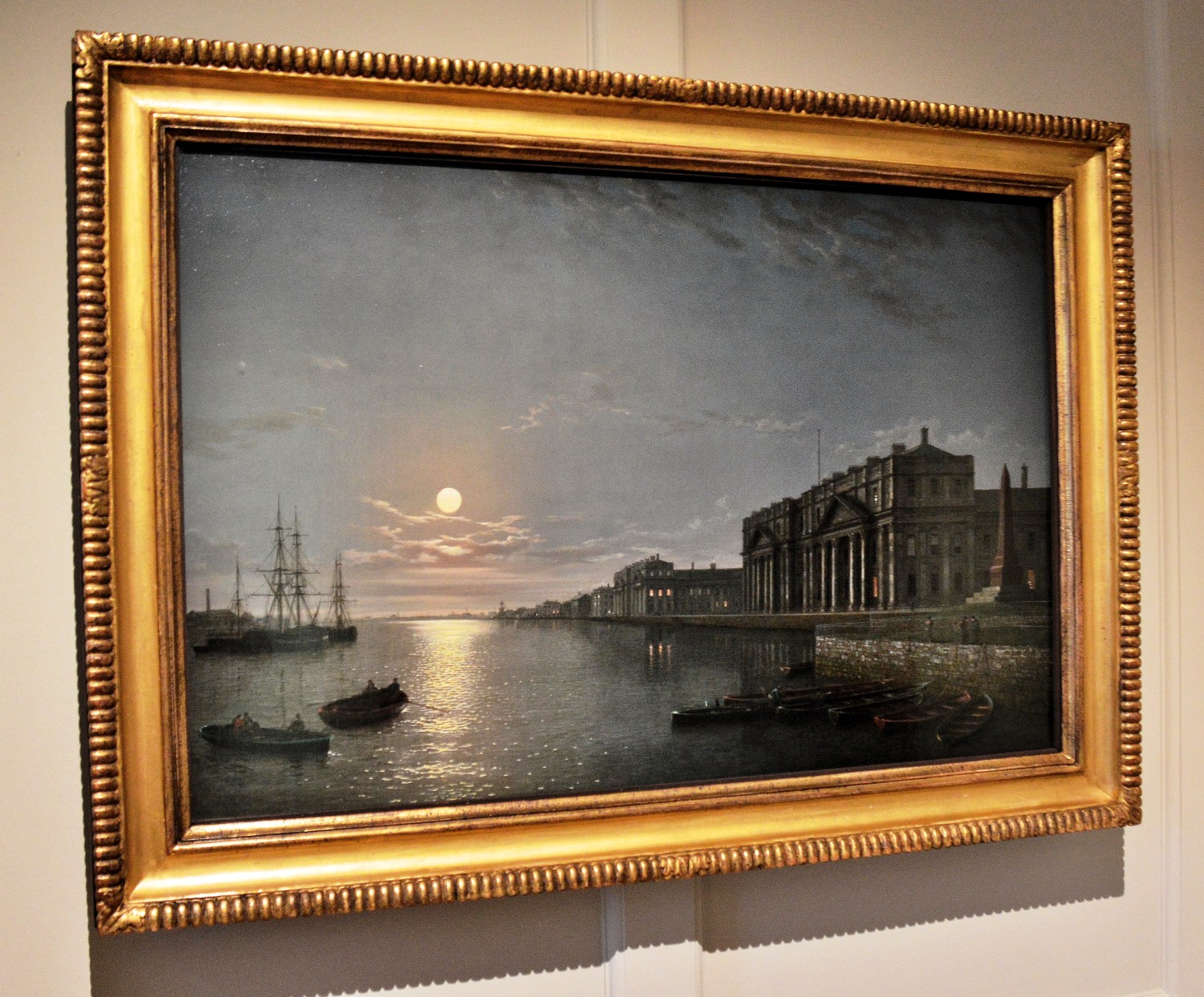
the-thames-and-greenwich-hospital-by-moonlight-by-henry-pether-in-the-queens-house-at-greenwich

The Thames and Greenwich Hospital by Moonlight by Henry Pether

.

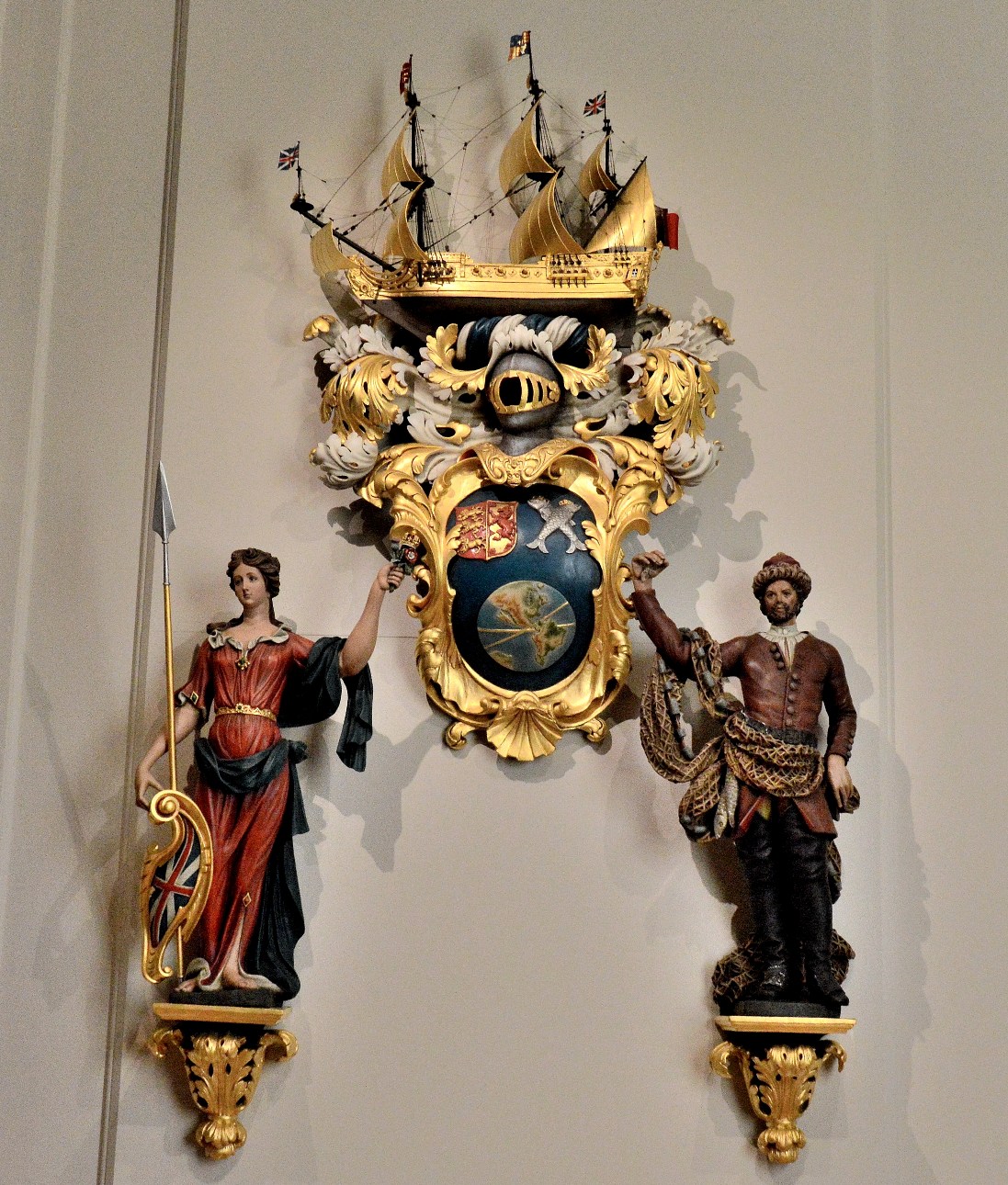
wall-ornament-in-the-queens-house-at-greenwich

.

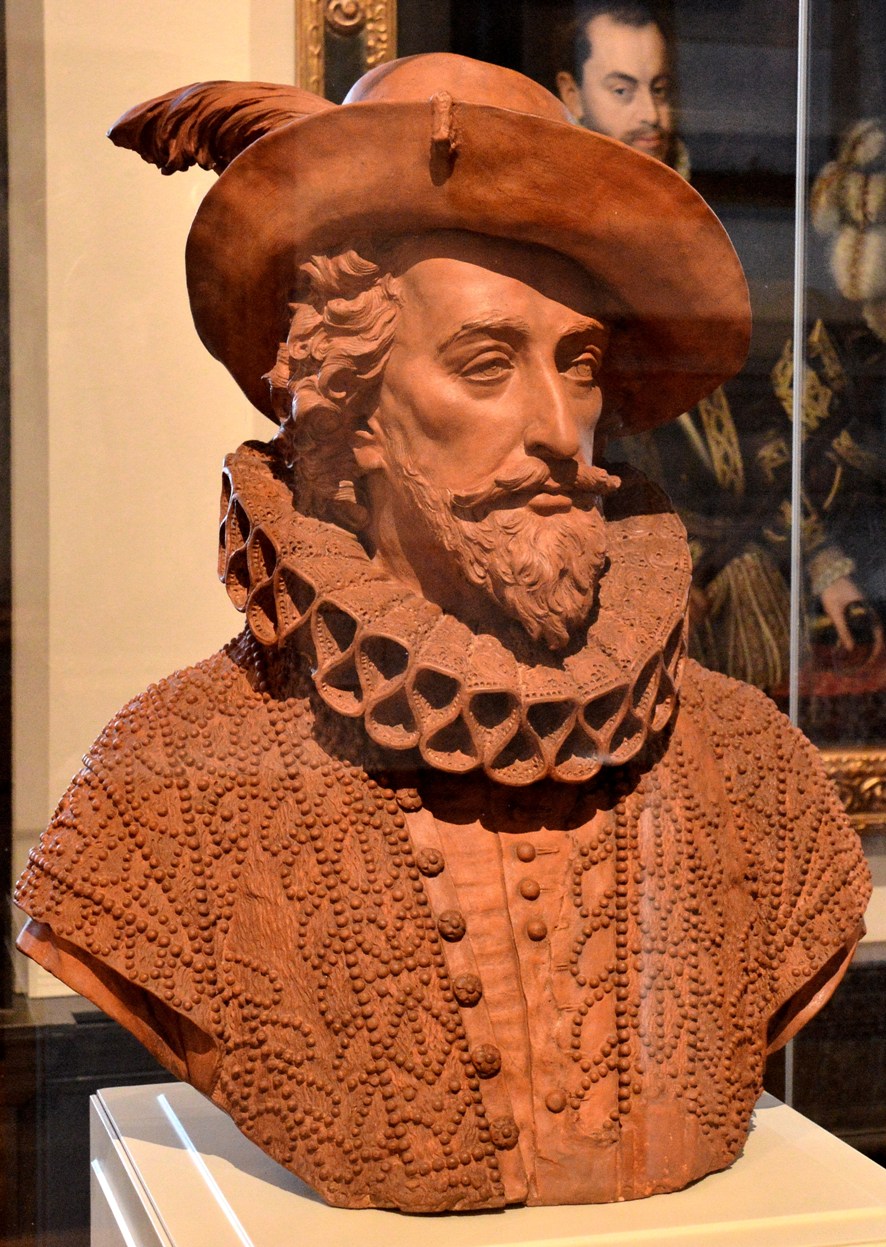
bust-of-sir-walter-rayleigh-in-the-queens-house-at-greenwich

Sir Walter Raleigh

Sir Walt founded the state of Virginia in the Americas (after Elizabeth I the virgin Queen) and brought potatoes and tobacco to Europe.

This is why the Beatles sang in “I’m so Tired”, in reference to tobacco, ” And curse Sir Walter Raleigh, he was such a stupid git”. 

He  secretly married a Gentlewoman of the Queen’s Privy Chamber  (Elizabeth “Bess” Throckmorton) which resulted in he and his wife being imprisoned for several months.  Years later, he was executed for refusing to accept James I as Queen Elizabeth’s successor.  

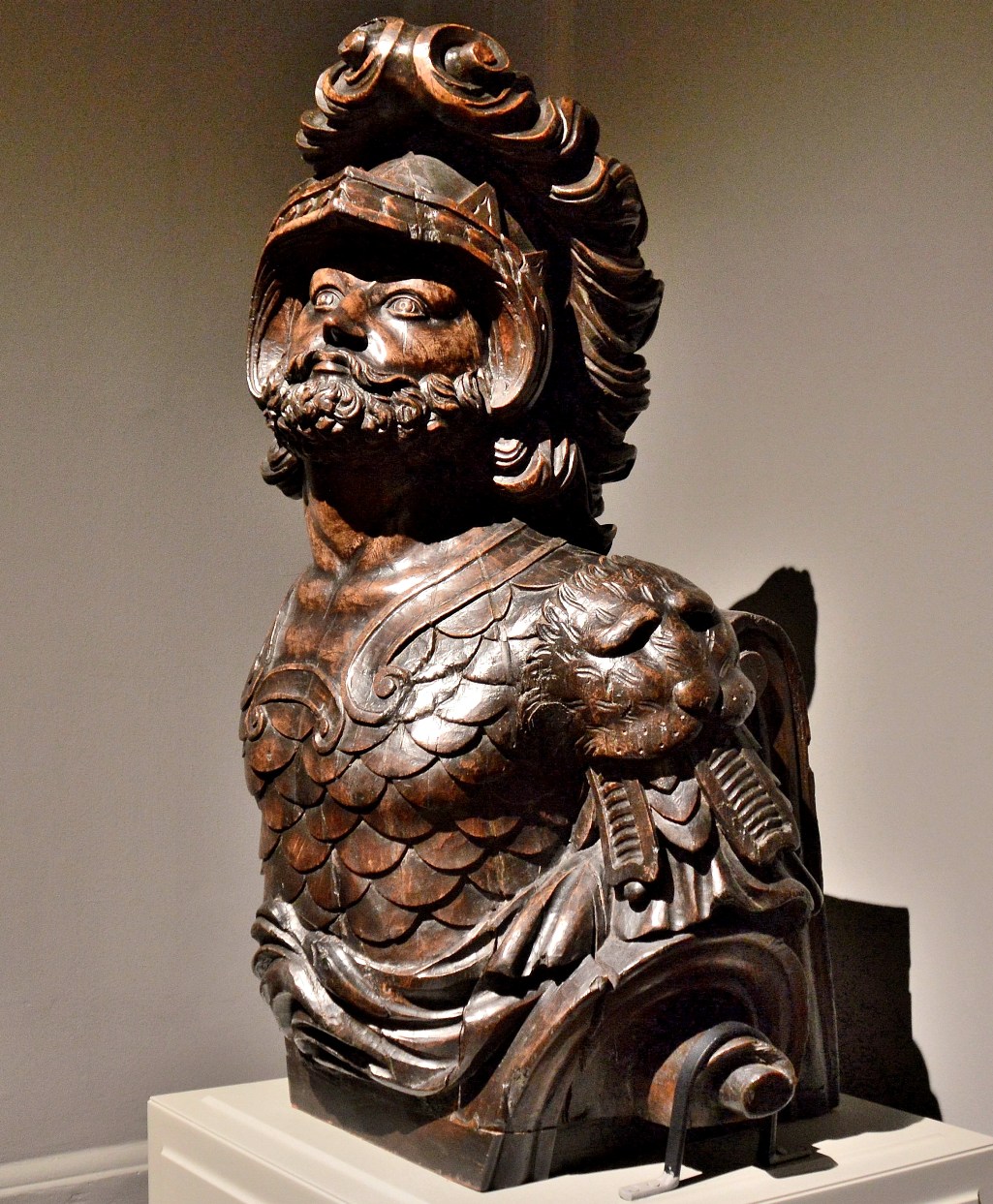
figurehead-in-the-queens-house-at-greenwich

A Ships Figurehead

.

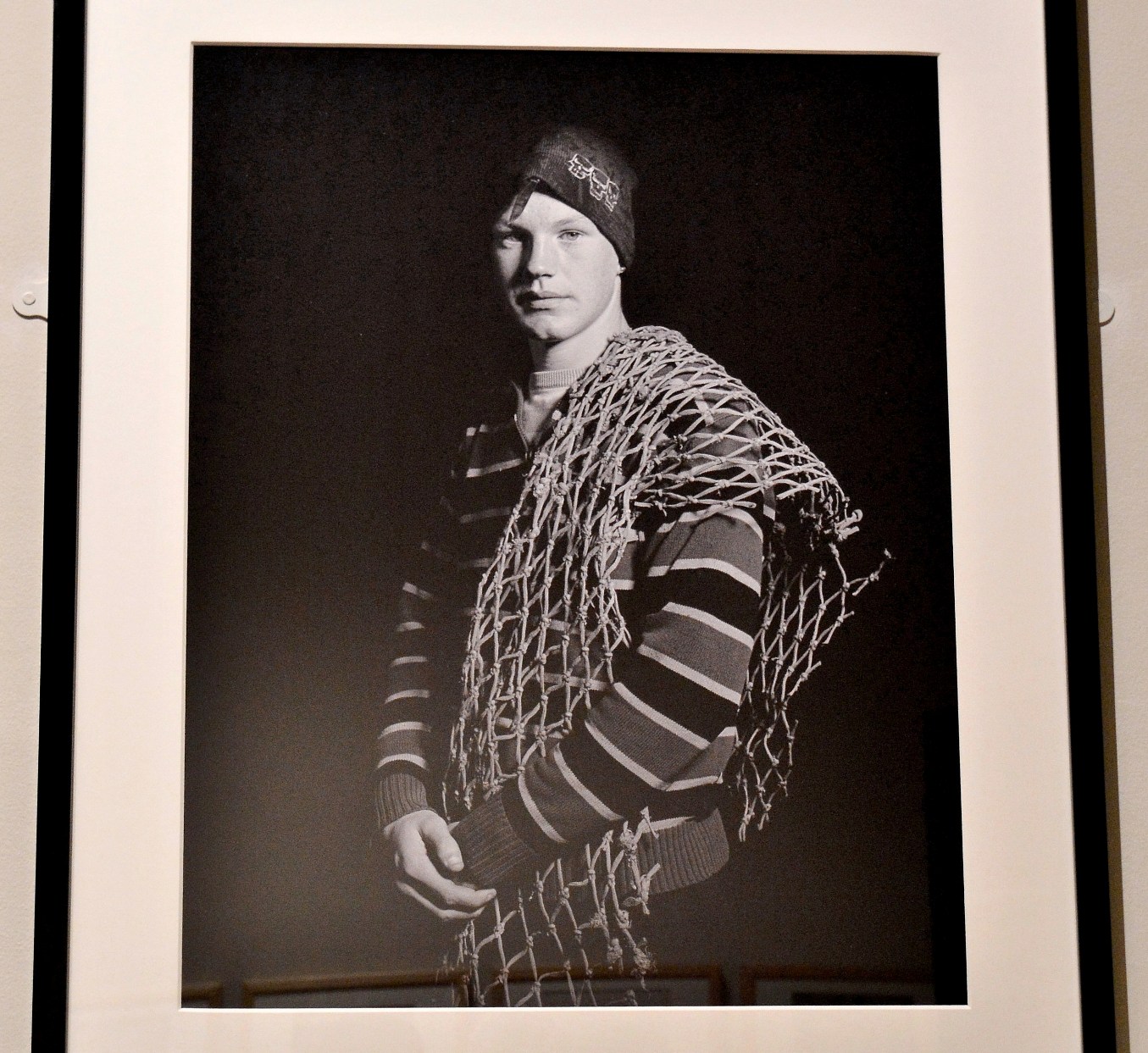
fisherman-in-the-queens-house-at-greenwich

.

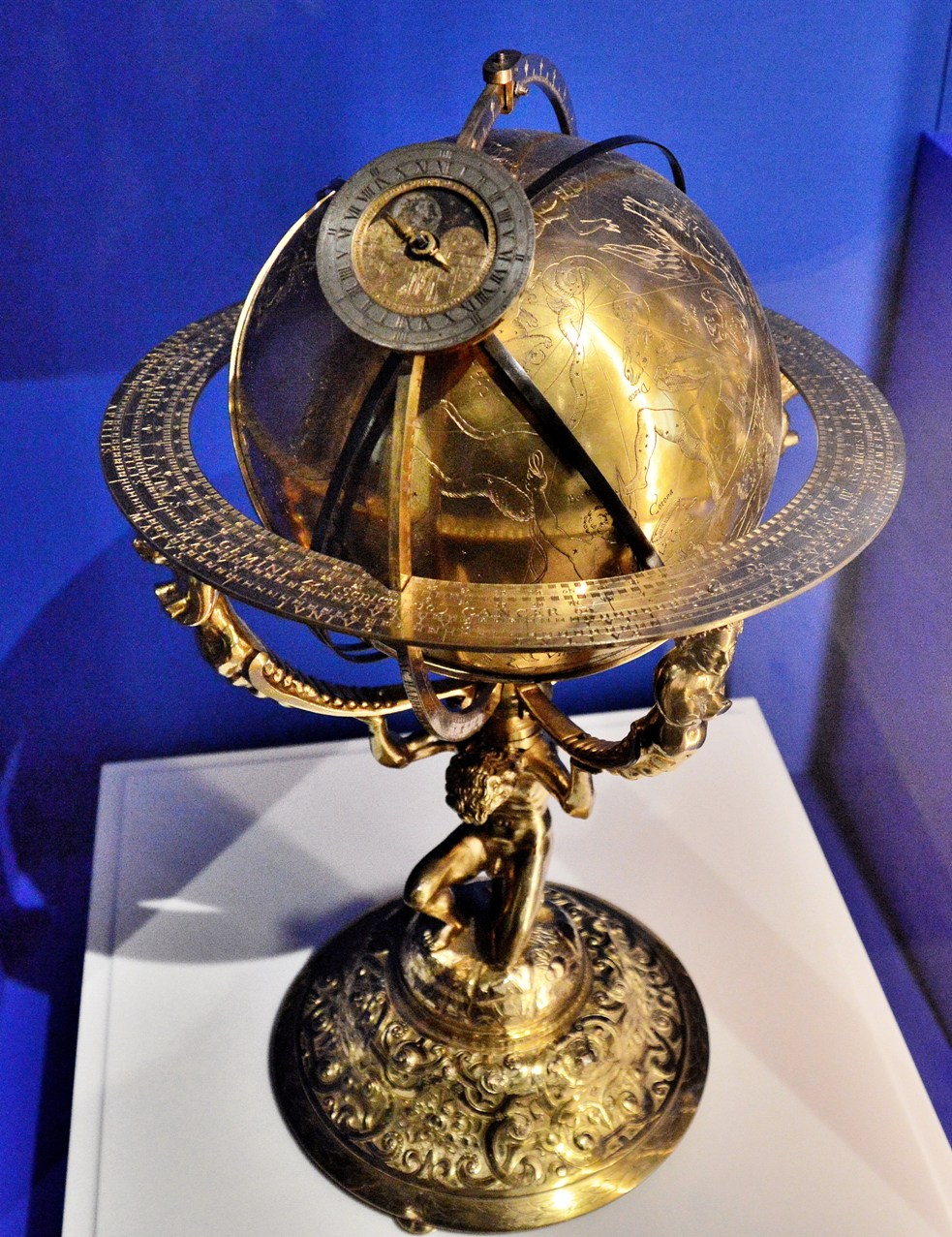
globe-in-the-queens-house-at-greenwich

.

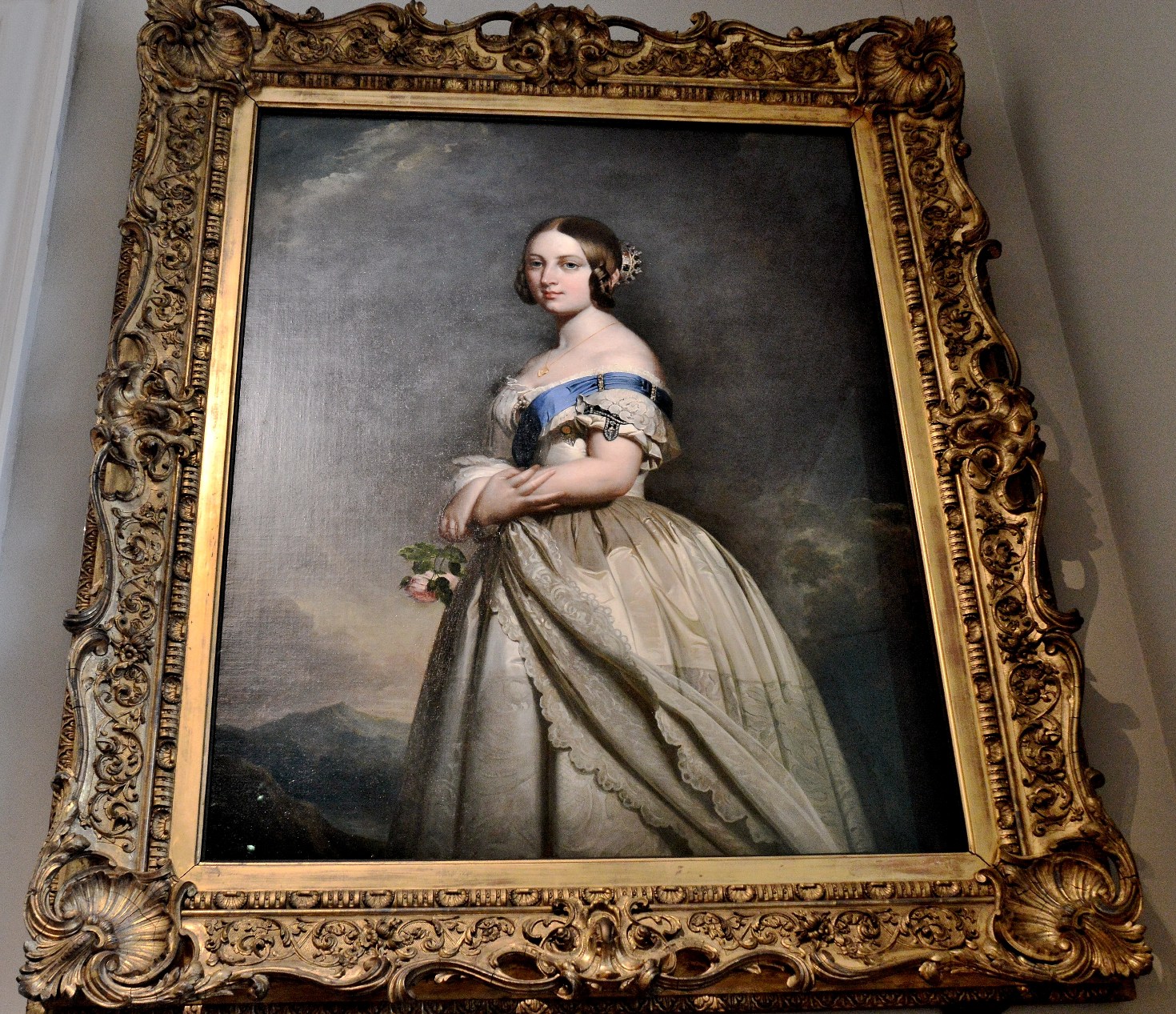
painting-of-queen-victoria-in-the-queens-house-at-greenwich

The Young Queen Victoria

Thanks for your visit and I hope that you found that interesting.

As an added note, the house does have a reputation for being haunted ⇐.  To confess, it was probably me having a sick day.  To be more serious, I found it a very calm place and caused no concern at all.  Even the people, who took the photograph that started the rumour, refused to believe it was ghostly. 


WordPress Changes – The User Interface and Old Stats Page – 2016 and 2017

Periodically updated list of news/articles/contacts about the WP User Interface Changesbell-and-cross-3.

↓ Accessing the old system.

Many bloggers do not like the loss of the old Stats Page and the loss of  Links to the older User Interface with its links to the older Editor, Post Lists etc.

Any logged in blogger can comment on the forum and it is well worth doing.  Imagine how bad it would get if we just gave in.

https://en.forums.wordpress.com/topic/stats-feedback/page/3?replies=52

Articles

Accessing the Old System ⇐  All the links to the Dashboard, an old Stats Page, Classic Editor,  Page and Post Lists etc

WordPress Reader Changes⇐ including an alternative design and forum link and more.

WordPress Changes – Losing the Old Admin and Editor ⇐  Looking to the future and amending it. 

Behind the Scenes ⇐   The new User Interface relies upon Rest-API (Application Programming Interface) and cannot work without it. The reason for API and the implications are found in “Behind the Scenes”.

Preventing WordPress Recommendations being sent by Email

WordPress intend to send their reading recommendations to bell-and-cross-3WP bloggers by email (as well as putting them in our WP Readers). 

You can stop the emails by:-

  • Click on your Gravatar (personal image) at the top right.
  • From the drop-down menu select Notifications.
  • From the next page, at the top, select Updates.
  • From next page uncheck Digests (Reading & writing digests, tailored for you).

Done.

WordPress Changes 2016 and 2017 – Accessing the Old System

bell-and-crossPreamble

Accessing the Old System

Much of the old system still exists.  For example the older and better “Classic Editor”, Dashboard, older Stats page, Post/Page Lists etc (see below).  It is only the links from the new system that have been withheld.  I presume, to give the appearance that the new system is preferred.

Any attempt to remove all access to the older, and generally preferred system, will surely be seen as a destructive act of belligerence against customers by WP. 

The new system, which uses Rest-API (Application Programming Interface ⇐), makes “apps” programming easier, provides remote access and records a lot of information about our activities as bloggers. The information collected is potentially profitable as a saleable item. Perhaps that is why WP are so keen to force it on us.  Allowing the old system to co-exist would probably mean replicating it using API.  More about API and WordPress ⇐. 

I don’t suppose that anyone would have minded the new API system if they hadn’t made such a hash of it.

Accessing the Old System

Please pass it on to any who might find it useful.

Two methods:-

1. Login to the Dashboard by using:-

https://yourblogname.wordpress.com/wp-admin/

Just copy the above to a notepad, replace yourblogname with your own blog name and then copy the result to your address bar (overwriting or deleting its current content) and then click on Go or Enter.

Example using my blog name. address-bar

or :-

2.  Thanks to a comment by notewords.wordpress.com, one can click on “WP Admin” at the bottom left of the new Stats Page and start from there.

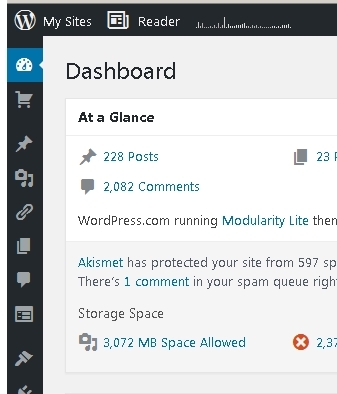
Either way, your dashboard should then open and it is possible to use the left side menu to access all the old system, including a very old version of stats.  

Do bookmark/favourite your Dashboard for ease of future use. .

dashbard-1.

The left side menu can be expanded to text, or slid back to icons, by using the lowest arrow button of the menu.

The menu includes the original Post Editor (Add New),  Posts List (All Posts) etc.

.

.

.

.

.

.

.

dashboard.

There is also access to a very old Site Stats.

.

.

.

.

.

.

.

.

.
dahboard-menu.

By using the right hand mouse button, any link can be opened in a new tab.  More ↓.

.

.

.

.

.

.

.

.

I found it helpful to open a number of menu items in new Tabs and then bookmark/favourite for ease of future use. One can even create a Browser Folder of useful bookmarks, for each of one’s blogs, and use them as a custom menus. 

One can log in to any part of old system by using the relevant Bookmark.

Always open the Reader in a new tab, to avoid getting trapped in the new system. 

Using Bookmarks is very helpful if you find yourself trapped in the new system. It will also be helpful if WP start removing more links.

If you would like to make your views known about recent changes (and the more comments the better), the forum link is:.

https://en.forums.wordpress.com/topic/stats-feedback/page/2?replies=52

All logged in WP bloggers have the right to use it.

About changes to the WP Reader ⇐.

WordPress Changes – Behind the Scenes

bell-and-cross1. Behind the Scenes

The recent changes are not just about the appearance on mobile phones. There is further enterprise involved and perhaps the real reason for being so stubborn and rash in it’s implementation.

The following applies to any WP hosted blog and any using Jetpack.

A system known as Rest-Api is being installed. The system plants a Rest-Api cookie bundle on your computer. The new user-interface does not work without it.

The Rest-Api system provides:-

  • Easier Application Programming
  • Publicly available access to your posts/comments/likes. There is nothing new there, except that some further information is provided (e.g. the ID’s of visitors).
  • If you give permission, remote access to your blog/image-library for the purposes of allowing a service (e.g. a printing company) to download content.
  • If you give permission, remote access by a developer. Access may include your statistics, the ability to create/edit/delete posts and whatever else you provide permission for.

2. Public/Limited Access to Our Blogs

You might try clicking on some of these (I’ve kept it to the 4 most recent). Each of these will open in a new Tab. You can change the Blog name and you don’t have to be logged in to your account in order to use them. However, Private and Password Protected are not shown unless you are logged in and add “&status=any”. Note: Pretty=1 makes it readable.

Revealing my 4 most recent posts, or for whichever blog is named.

https://public-api.wordpress.com/rest/v1/sites/freedfromtime.wordpress.com/posts/?number=4&pretty=1

Revealing my 4 most recent comments received, or for whichever blog is named, with information about the commenter.

https://public-api.wordpress.com/rest/v1/sites/freedfromtime.wordpress.com/comments/?number=4&pretty=1

Revealing my 4 most recent Likes recieved, or for whichever blog is named, on a post with information about the Liker. The Post ID for this is “1” (my About page but may not be the same for you). Otherwise you will need a Post ID which can be obtained from the first link.

https://public-api.wordpress.com/rest/v1/sites/freedfromtime.wordpress.com/posts/1/likes/?number=4&pretty=1

Further content is available, when logged in and/or for a developer who has a Blogger’s permission. (see Section 3).

2.1 What’s the problem.

This does provide further information such as numeric ID’s for Blog, Post, Author and Comment relating to yourself and your visitors and, it seems, slows normal access.  Added to this, the design and function are generally considered as inferior to the previous User Interface.

2.2 A Greater Concern

One might consider this point a breach of security. Usually half the battle for a hacker is knowing one’s Log-in name/User name. With WordPress one’s Display name is often the same as one’s Log-in name/User name. However some have wisely hidden there User name behind a different Display name. The above Links publicly reveal any hidden Log-in/User name.

3. Full Access to Our Blogs

With a bloggers permission, a remote service provider (e.g. printing company) or developer may have a limited or complete access to your site using the Rest-Api system. That access relies upon a new cookie bundle “public-api.wordpress.com” on your browser. None of the new UI (Stats, Editor and Notifications) will work without it. However, unless you are adept at cookie management, I don’t recommend trying this. One can lose the ability to comment/like on other blogs if one cannot fully restore cookies.

The full range of Gets (view) and Puts (create/change), available with a Bloggers permission, can be found by clicking here ⇒. Full access can include Private and Password Protected.

Some Gets (as with the links above) are available to anyone.

A developer console here ⇒ provides extended access when logged in to one’s account or for a person who has the blogger’s permission. When using the developer console; to see the full return, click on the bottom left arrow of the brief return.

3.1 The Possible Problems

3.1.1 Security

Access is acquired using OAuth2 authentication. That method has been entirely disavowed by the lead author, who has removed his name from all specifications. His main concerns seem to be that, whilst OAuth1 was a protocol, OAuth2 is a framework that includes many musts and must-nots and requires an unusually high level of expertise to make secure. To read his post click here ⇒. An extract below:-

“To be clear, OAuth 2.0 at the hand of a developer with deep understanding of web security will likely result is a secure implementation. However, at the hands of most developers – as has been the experience from the past two years – 2.0 is likely to produce insecure implementations.”

He also wrote “When compared with OAuth 1.0, the 2.0 specification is more complex, less interoperable, less useful, more incomplete, and most importantly, less secure”.

3.1.2 Business Worth

Being able to store images from a mobile phone/tablet, upload them to WordPress and then download them to a service provider might be of use to some. However, serious photographers and/or those creating company literature (e.g. pamphlets, brochures etc) are more likely to upload higher resolution images directly to a printing company.

Most of us, if approached by a developer who wants access to our site, would likely respond with disinterest.

E-commerce companies might want to make use of a developers services to compete. But, if they’ve got any sense they will use in-house services provided by people who have a deeper knowledge of their company’s business and dedicated to it.

3.1.3 Business Loss

I believe that the new User Interface has been so badly implemented as to deter users in the new enterprise.

Existing customers have suffered considerable and pointless nuisance.

It has been shown that it takes less effort to keep existing customers than acquire new ones.

WP Reader Changes ⇐

WP Changes – Accessing the old system ⇐

A Merry Christmas to All – and extra title lines to increase the size of image on the Reader :-)

I would like to wish you all a very Happy Holidays and good fortune for the new year.

As is traditional at this time of year, I expect I will be abducted by aliens, away for a while and have no memory of what occurred.

P.S. For a little  more colour, you might try A Very Many Xmas’s to All⇐ or the Brighten the Day Gallery ⇐.

P.P.S. As a last thought; please enjoy your festive fair responsibly and avoid leaving any empty bottles lying about.   😀

A Lament for The Ancient Code Wrangler at Xmas

Twas the night before Christmas,
And through all WordPress house,
Not a creature was stirring,
Because they’d eaten the mouse,

The code wranglers were nestled,
All snug in their beds,
Whilst visions of fudge brownies,
Danced in their heads,

Then down from the chimney,
All covered in soot,
Came an ancient code wrangler
Who’d chewed of his foot

Up, he proclaimed,
There’s work to do still
There’s a Reader to wrap,
And send them a bill,

The customers heard this,
And thought it unfair,
So they caught the old wrangler,
And pulled out his hair,

He’s a national treasure,
They cried loudly and puffed,
He belongs behind glass,
But first have him stuffed.

😀

I hope you enjoyed that, although it’s not up to the standard of this chap.   How did he know about code wranglers so long ago.

.

An Ode to WordPress Reader⇐ and more on the subject of the New Reader ⇐.

WP Reader Changes – Wouldn’t This Be Better

It seems WP want the Reader to fit on a cellphone, but wouldn’t the format below be better for all ?  It makes maximum use of the available space by hiding the menu (or by spreading it along the top bar), minimizing the white space and fitting all pictures into a 4:3 frame without cropping. Modified 21 Dec 2016.  More↓.

There are icons for a full gallery view (pics), plain reader (read) and visit the blog (visit).  The gallery icon shows the number of images on the post and changes colour if there are more images than shown by the reader.  A click-on the left side larger image will expand it.

This alternative uses a little more height than the new Reader, but far less than the previous Reader, is more accommodating and even looks better on a cellphone than the current new Reader.

The present load speed problem is partly due to the extra data transfer junk (e.g. Google Analytics, Google Ads, Olark, WordPress Public API and many more) and partly due to the larger number of posts (in thin slices) being loaded at one time.  Although the number of posts being loaded at one time might be less for those using a mobile application.

The fonts and juxtapositions aren’t brilliant, but it conveys the idea. Next week, I’m teaching it to do singing and dancing.

The point of this exercise being; to show what can be done and encourage WP to consult in future. And, of course, stop WP from pushing their recommendations into our reading lists.

More on the Reader here ⇐.

WordPress Changes – Accessing the Old System ⇐

.